ACPT v2.0.32 WordPress Plugin
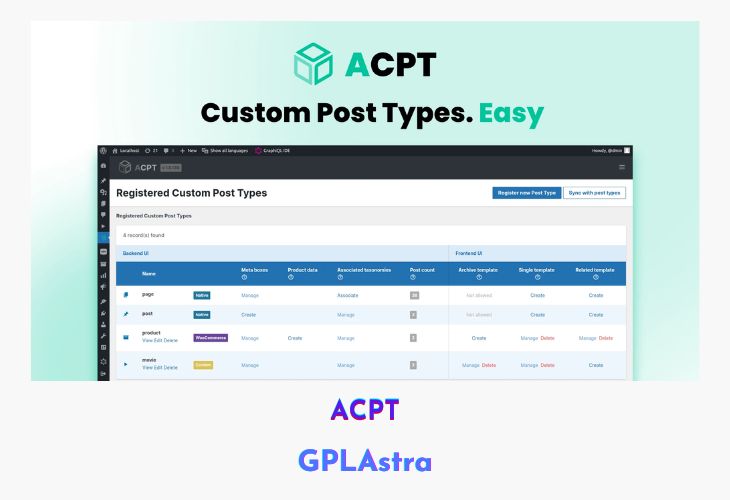
ACPT – The Complete Custom Post Type Framework is a powerful WordPress plugin designed to simplify the creation and management of custom post types, taxonomies, option pages, and meta fields. Built for developers and non-coders alike, ACPT provides an intuitive and streamlined interface that empowers users to build complex, data-driven websites in just minutes—without touching a single line of code. Whether you’re crafting a portfolio site, directory, or any content-rich project, ACPT removes the friction from setting up structured content in WordPress.
This all-in-one framework doesn’t stop at post types. It includes an advanced meta field manager with support for over 40 field types, making it easy to attach detailed and dynamic data to any post type. You can also create and configure custom option pages effortlessly, ensuring global settings are organized and accessible. With one-click taxonomy linking and a unified workflow, ACPT helps users take full control of their WordPress content architecture faster and smarter.
| Name | ACPT |
| Type | WordPress Plugin |
| Version | 2.0.32 |
| File Name | advanced-custom-post-type |
| File Type | zip (Installable Archive) |
| File Host | mediafire.com | Mirror |
| Updated On: | 7 months ago |
Core Features of ACPT WordPress Plugin
- Quick Custom Post Type Creation: Register new post types in under 30 seconds
- Advanced Meta Field Manager: Choose from over 40 field types to build rich content structures
- Custom Taxonomies: Easily create and link taxonomies to post types with one click
- Option Pages Builder: Design and manage global settings pages within a single, intuitive interface
- Intuitive UI: Designed for ease of use by both developers and non-coders
- All-in-One CPT Solution: Manage post types, fields, taxonomies, and options from one plugin
- Dynamic Content Control: Assign custom fields to posts, pages, or custom post types
- Scalable for Complex Sites: Suitable for directories, portfolios, listings, and more
- Optimized Workflow: Everything from setup to deployment is designed for speed and simplicity
- No Coding Required: Visual tools let you configure everything from field logic to display rules
What’s New (Changelog) in ACPT v2.0.32
- improvement
Make the plugin completely compliant with GNU/GPL rules.
Sales Page and Live Demo of ACPT WordPress Plugin
https://acpt.io/
Free Download ACPT Latest Version
⚡ Premium Access
Unlock All Premium Features
Unlimited Downloads
No Restrictions
Direct Download Links
Access to Private Content
Frequently Asked Questions (FAQs):
Here are some frequently asked questions related to ACPT WordPress Plugin that might help you while installing it on your WordPress site: