Product Import Export Plugin For WooCommerce v3.8.3 Plugin
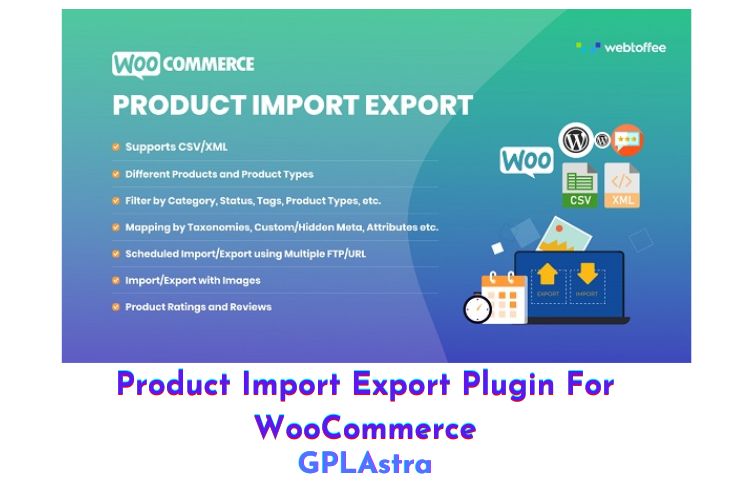
The Product Import Export Plugin For WooCommerce is a powerful tool that allows you to easily export and import products in your online store. The plugin provides quick and efficient export/import options directly from the database, based on a pre-saved mapping or with advanced options. The data can be processed in batches to ensure successful import/export.
The plugin comes with scheduled FTP/URL import/export options and multiple FTP profiles, making it easy to manage and manipulate scheduled imports and exports. It supports multiple product types, including simple products, variable products, group products, external products, and custom products, making it a versatile solution for any e-commerce store.
The Product Import Export Plugin is also compatible with major third-party plugins such as WooCommerce Product Bundles, Yoast WooCommerce SEO, Woocommerce Cost of Goods, Advanced Custom Fields, WPML, and Polylang, providing even more options for customization. The simple Ajax interface and flexible API make it user-friendly, with easy drag-and-drop mapping columns and different categories.
The plugin also provides several filter options for custom import/export, allowing you to filter products in different ways to include images, variations, and metadata. Additionally, the plugin provides detailed history, debug logs, and Cron schedules for recording the success/failure of processes, troubleshooting, and viewing all scheduled and completed actions.
With the Product Import Export Plugin, migration of products between websites is effortless, allowing you to export and import products including images, categories, and custom metadata with the help of a CSV or XML file. The plugin also provides a bulk edit feature, making it possible to make changes, merge, or update additional product information to existing products before or during the import/export process.
| Name | Product Import Export Plugin For WooCommerce |
| Type | Plugin |
| Version | 3.8.3 |
| File Name | product-csv-import-export-for-woocommerce |
| File Type | zip (Installable Archive) |
| File Host | mediafire.com | Mirror |
| Updated On: | 3 months ago |
Core Features of Product Import Export Plugin For WooCommerce Plugin
- Quick export/import options directly from the database, based on a pre-saved mapping or advanced options
- Data processing in batches to ensure successful import/export
- Scheduled FTP/URL import/export options with multiple FTP profiles and scheduling options
- Supports multiple product types including simple, variable, group, external, and custom products
- Compatible with major third-party plugins such as WooCommerce Product Bundles, Yoast WooCommerce SEO, Woocommerce Cost of Goods, Advanced Custom Fields, WPML, and Polylang
- User-friendly interface with simple Ajax and flexible API, including easy drag and drop mapping columns and different categories
- Filter options for custom import/export, including the ability to filter products to include images, variations, and metadata
- Detailed history, debug logs, and Cron schedules for recording success/failure of processes, troubleshooting, and viewing all scheduled and completed actions
- Effortless product migration between websites, including the ability to export and import products, images, categories, and custom metadata with a CSV or XML file
- Bulk edit feature for making changes, merging, or updating additional product information to existing products before or during the import/export process
What’s New (Changelog) in Product Import Export Plugin For WooCommerce v3.8.3
Not Found!!
Sales Page and Live Demo of Product Import Export Plugin For WooCommerce Plugin
https://www.webtoffee.com/product/product-import-export-woocommerce/
Free Download Product Import Export Plugin For WooCommerce Latest Version
⚡ Premium Access
Unlock All Premium Features
Unlimited Downloads
No Restrictions
Direct Download Links
Access to Private Content
Frequently Asked Questions (FAQs):
Here are some frequently asked questions related to Product Import Export Plugin For WooCommerce Plugin that might help you while installing it on your WordPress site:
link corrupt