MetForm Pro v3.9.5 WP Plugin
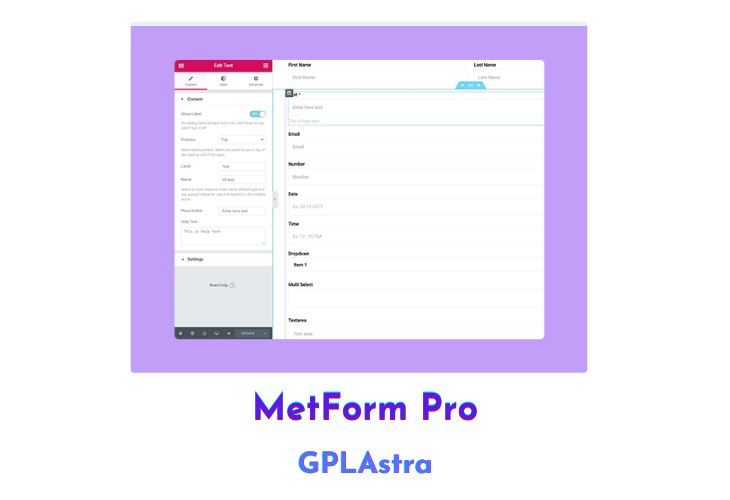
MetForm Pro is a feature-rich form builder plugin designed for Elementor, the popular WordPress website builder. With MetForm Pro, users can easily create highly customizable forms for their websites and turn them into powerful, data-driven applications.
One of the key advantages of MetForm Pro is its seamless integration with Elementor. The plugin offers a fully drag-and-drop builder interface that allows users to create forms with ease and get any complex design they want. With the Elementor widgets included, users can add a range of form elements, such as text fields, radio buttons, checkboxes, and more, to their forms.
MetForm Pro also provides users with extensive control over the design and style of their forms. The plugin includes a range of style-related controls, from borders to shadows, typography to spacing, and more. This means users can customize every element of their forms to match their website’s overall design and branding.
In addition to design and style, MetForm Pro provides users with powerful settings to help manage form submissions and data. Users can export form submissions to CSV, save entries to their dashboard, or even send confirmation emails to users who submit their forms. The plugin covers everything needed to ensure users have full control over their data and form submissions.
| Name | MetForm Pro |
| Type | WP Plugin |
| Version | 3.9.5 |
| File Name | metform-pro |
| File Type | zip (Installable Archive) |
| File Host | mediafire.com | Mirror |
| Updated On: | 2 months ago |
Core Features of MetForm Pro WP Plugin
- Seamless integration with Elementor, the popular WordPress website builder
- Fully drag-and-drop builder interface for creating forms with ease
- Range of Elementor widgets included for adding form elements such as text fields, radio buttons, checkboxes, and more
- Extensive control over the design and style of forms, including borders, shadows, typography, and spacing
- Powerful settings for managing form submissions and data, such as exporting to CSV, saving entries to dashboard, and sending confirmation emails
- Export forms to CSV format for easy analysis of data
- Create and save custom templates for forms, to match your website’s overall design and branding
- Easily add Google reCAPTCHA for added security
- Add custom CSS to style individual form elements, if desired
- Integration with third-party services, such as Zapier, for even more advanced functionality
- Multilingual support for creating forms in multiple languages
- Robust documentation and dedicated support team for assistance and troubleshooting.
What’s New (Changelog) in MetForm Pro v3.9.5
v3.9.5 // 2025-12-14
Improved: Admin UI design.
Fixed: Calculation not working for first input.
Fixed: License activation issue.
Fixed: PDF exporting issue for big entry.
Sales Page and Live Demo of MetForm Pro WP Plugin
https://products.wpmet.com/metform
Free Download MetForm Pro Latest Version
⚡ Premium Access
Unlock All Premium Features
Unlimited Downloads
No Restrictions
Direct Download Links
Access to Private Content
Frequently Asked Questions (FAQs):
Here are some frequently asked questions related to MetForm Pro WP Plugin that might help you while installing it on your WordPress site:
Hello, good, any possibility of updating the version?