Advanced Shipment Tracking Pro v4.7.9 Plugin
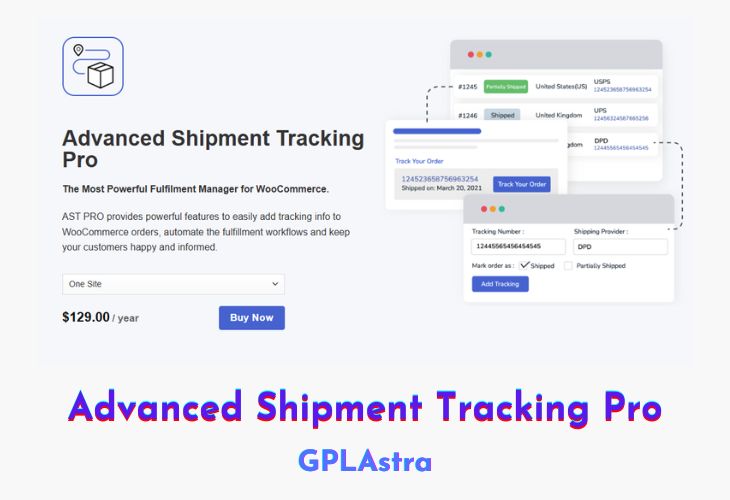
AST PRO (Advanced Shipment Tracking Pro) is the ultimate fulfillment management solution for WooCommerce, designed to streamline order tracking and shipment processes. With powerful automation features, it enables store owners to efficiently add tracking information, fulfill orders, and keep customers informed at every step. Whether adding tracking numbers per item, utilizing auto-detect shipping providers, or managing multiple shipments, AST PRO ensures a seamless workflow that enhances customer experience. The plugin integrates with over 550+ shipping providers worldwide, providing direct tracking links and customizable email notifications to keep customers engaged.
Beyond tracking, AST PRO offers a centralized Fulfillment Dashboard, allowing store owners to monitor unfulfilled orders and optimize workflows. Custom order statuses such as Partially Shipped and Shipped help communicate order progress effectively. With a Tracking Info Widget, customers receive shipment details in their email and account pages. AST PRO also supports bulk CSV tracking imports, PayPal tracking exports, and API integrations for third-party fulfillment services like ShipStation, WooCommerce Shipping, and AliExpress. By automating fulfillment and eliminating manual tracking updates, AST PRO reduces errors, enhances efficiency, and ensures a professional WooCommerce shipping experience.
| Name | Advanced Shipment Tracking Pro |
| Type | Plugin |
| Version | 4.7.9 |
| File Name | advanced-shipment-tracking-pro |
| File Type | zip (Installable Archive) |
| File Host | mediafire.com | Mirror |
| Updated On: | 8 months ago |
Core Features of Advanced Shipment Tracking Pro Plugin
- Tracking Per Item: Assign tracking numbers to specific line items for multi-package shipments.
- Auto-Detect Shipping Providers: Automatically identifies carriers based on tracking numbers for faster fulfillment.
- Fulfillment Dashboard: Monitor unfulfilled orders and shipping performance in one place.
- 550+ Shipping Providers: Supports global carriers with direct tracking links for customers.
- White Label Shipping Providers: Customize provider names, logos, and tracking links.
- Custom Email Notifications: Modify email templates to display only relevant tracking details.
- WooCommerce Workflow Optimization: Use custom order statuses like Partially Shipped for better tracking.
- Tracking Info Widget: A responsive widget for tracking details in emails and customer account pages.
- Shipment Tracking API: Update tracking numbers from third-party services and auto-complete orders.
- PayPal Tracking Export: Sync tracking info with PayPal to reduce disputes and payment holds.
- CSV Tracking Import: Bulk import tracking numbers via CSV for faster processing.
- Seamless WooCommerce Plugin Compatibility: Works with order numbers, email customizers, shipping services, and SMS plugins.
What’s New (Changelog) in Advanced Shipment Tracking Pro v4.7.9
2025-06-12 - version 4.7.9
* Dev - Tested with WooCommerce 9.9.3
* Improvement - Improved shipment tracking panel design in order details page for better visual compactness and consistency.
* Fix - Fixed tracking provider slug being shown instead of name in partially shipped email widget.
Sales Page and Live Demo of Advanced Shipment Tracking Pro Plugin
https://www.zorem.com/product/woocommerce-advanced-shipment-tracking/
Free Download Advanced Shipment Tracking Pro Latest Version
⚡ Premium Access
Unlock All Premium Features
Unlimited Downloads
No Restrictions
Direct Download Links
Access to Private Content
Frequently Asked Questions (FAQs):
Here are some frequently asked questions related to Advanced Shipment Tracking Pro Plugin that might help you while installing it on your WordPress site: