WP Frontend Admin Premium v1.22.5 Plugin
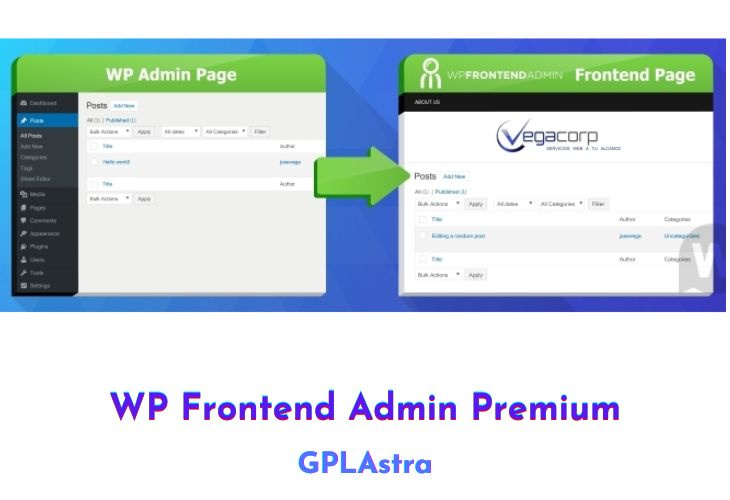
WP Frontend Admin Premium is a powerful plugin that allows you to create custom apps using the WordPress platform. With this plugin, you can utilize more than 30,000 WordPress plugins to create a wide range of applications that your users can interact with through the frontend of your site.
The plugin offers a variety of features that enable you to create applications for different purposes. For instance, you can create photo galleries using a photo gallery plugin, set up email marketing using the MailPoet plugin, sell products with WooCommerce, or create donation forms with the Give plugin.
Additionally, you can use the plugin to display website analytics and stats using the Monster Insights plugin, allow file uploads and storage with the WP Media library, create polls and surveys with CBX Polls, or shorten URLs using the URL Shortener plugin.
The plugin also offers a course creation feature that enables users to log in and create and edit courses using the LearnPress plugin. With this plugin, you can also create a website creator app that allows your users to publish blog posts, create pages using Elementor, and customize their design using themes and settings pages from WP Admin.
| Name | WP Frontend Admin Premium |
| Type | Plugin |
| Version | 1.22.5 |
| File Name | display-admin-page-on-frontend-premium |
| File Type | zip (Installable Archive) |
| File Host | mediafire.com | Mirror |
| Updated On: | 12 months ago |
Core Features of WP Frontend Admin Premium Plugin
- Photo Galleries: The plugin enables the use of a “photo galleries” plugin, which allows users to upload and view photo galleries directly from the frontend.
- Sell Products: The plugin enables the use of the free “WooCommerce” plugin, which displays the products list, sale reports, and settings page in the frontend. Users can create stores and sell products from the app.
- Analytics and Stats: The free “Monster Insights” plugin displays the settings and reports pages in the frontend, allowing users to set up their Google Analytics account and view stats about web traffic.
- Email Marketing: By using the free “MailPoet” plugin, users can create and send newsletters from the frontend. The plugin displays MailPoet settings, list editor, and newsletter builder in the frontend.
- File Hosting: Users can upload files and view their uploads in the WP Media library, which is displayed in the frontend.
- Donations: By using the free “Give” plugin, users can create donation forms and receive donations. The plugin displays the donation form editor in the frontend.
- Events Manager: The free “The Events Calendar” plugin displays the “attendees” page in the frontend, allowing event managers to control the attendees from the app.
- Charts Creator: The free “Visualizer” plugin displays the “charts editor” in the frontend, enabling users to create charts.
- Polls and Surveys: The free “CBX Polls” plugin displays the polls list in the frontend, allowing users to create and share polls with their friends.
- URL Shorteners: The free “URL Shortener” plugin displays the “short url” editor in the frontend, enabling users to shorten URLs and view them in the frontend.
- Sell Courses: The “LearnPress” plugin displays the “courses” page and editor in the frontend, allowing users to create and edit courses.
- Website Creator: The plugin allows users to display multiple pages from WP Admin, such as the posts list, themes, and settings page in the frontend. Users can log in, publish blog posts, create pages with Elementor, and tweak their design.
What’s New (Changelog) in WP Frontend Admin Premium v1.22.5
= 1.22.5 - 2025-01-27 =
* CHANGE - Multitenant - Disable the "master admin" mode for tenant sites
* CHANGE - Add body class to the frontend pages
* CHANGE - Fix php warnings on php 8.2
* CHANGE - Update dependencies
* FIX - Compatibility issue with Brizy
* FIX - Make the post type filter work when users don't have edit_posts capability but have access to other post types
* FIX - The site selector doesn't hide the current site or switch correctly sometimes
Sales Page and Live Demo of WP Frontend Admin Premium Plugin
https://wpfrontendadmin.com/
Free Download WP Frontend Admin Premium Latest Version
⚡ Premium Access
Unlock All Premium Features
Unlimited Downloads
No Restrictions
Direct Download Links
Access to Private Content
Frequently Asked Questions (FAQs):
Here are some frequently asked questions related to WP Frontend Admin Premium Plugin that might help you while installing it on your WordPress site: