Chauffeur Booking System v9.1 Plugin
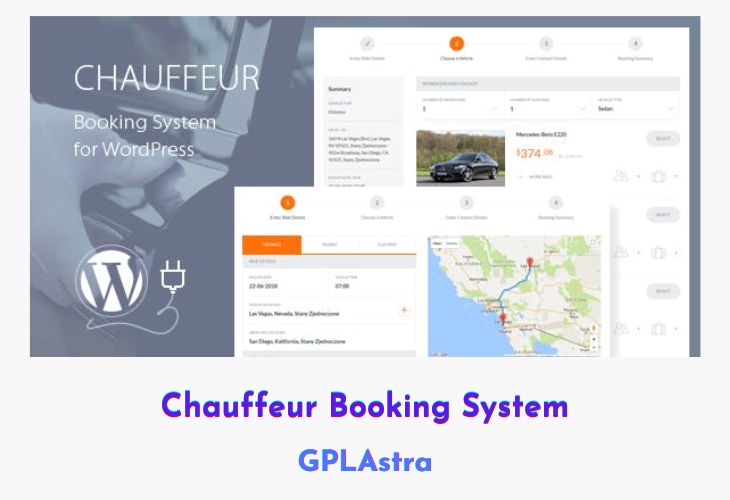
Chauffeur Booking System is a powerful limo and shuttle reservation plugin for WordPress, designed to streamline online booking, route management, and customer communication. Ideal for limo rental businesses, this plugin supports various booking types, including point-to-point transfers, hourly hires, and predefined routes. With seamless WooCommerce and Google Calendar integration, it ensures smooth scheduling and payment processing while enhancing customer experience with email and SMS notifications.
This feature-rich plugin allows businesses to customize routes, vehicles, and pricing rules while offering customers a simple step-by-step booking process. Advanced options such as extra time selection, rental period restrictions, and multiple payment gateways provide greater flexibility. Additionally, WPML compatibility, RTL support, and a responsive design make it suitable for global use across different devices and languages.
| Name | Chauffeur Booking System |
| Type | Plugin |
| Version | 9.1 |
| File Name | chauffeur-booking-system |
| File Type | zip (Installable Archive) |
| File Host | mediafire.com | Mirror |
| Updated On: | 2 weeks ago |
Core Features of Chauffeur Booking System Plugin
- Multiple Booking Types: Supports point-to-point, hourly, and flat-rate bookings.
- Live Route Preview: Displays a real-time map with distance and time calculations.
- Custom Routes & Stops: Define your own routes with intermediate stops for flexibility.
- Vehicle Management: Add unlimited vehicles with detailed attributes, pricing, and availability.
- Extensive Pricing Rules: Set different pricing structures based on vehicle, distance, or time.
- Multiple Payment Methods: Accept PayPal, Stripe, Cash, and WooCommerce-supported payments.
- Email & SMS Notifications: Integrated with Nexmo and Twilio for real-time booking updates.
- Google Calendar Integration: Sync bookings with Google Calendar for easy scheduling.
- Business Hours & Excluded Dates: Define working hours and exclude unavailable dates.
- Booking Extras: Offer add-ons like child seats, alcohol packages, or chocolates.
- Custom Order Forms: Use a drag-and-drop form builder to collect relevant customer details.
- Smart Sticky Sidebar: Keeps booking summary visible even when scrolling.
- Visual Composer Integration: Compatible with popular page builders for easy customization.
- RTL & WPML Support: Enables multi-language support and right-to-left script compatibility.
- One-Click Demo Import: Quickly import demo content to set up your booking system.
What’s New (Changelog) in Chauffeur Booking System v9.1
13 February 2026 – v9.1
Added option to calculate vehicle availability based on total booking duration (including travel time from base to pickup and from drop-off back to base).
Added option to define vehicle availability limits based on minimum and maximum ride duration.
Added new Google Maps control options.
Added option to exclude “FancyBox” JS library.
Added option to exclude “International Telephone Input” JS library.
Added option to set vehicle engine type.
Added option to set vehicle toll pass.
Added option to calculate tolls for trip, delivery, and return delivery.
Added option to reset plugin settings to default.
Added option to reset plugin JS/CSS cache.
Added option for bulk modification of vehicle prices and tax rates.
Added option for bulk modification of price, price alter type, and tax rate in pricing rules.
Reduced number of included JS libraries and CSS files.
Sales Page and Live Demo of Chauffeur Booking System Plugin
https://codecanyon.net/item/chauffeur-booking-system-for-wordpress/21072773
Free Download Chauffeur Booking System Latest Version
⚡ Premium Access
Unlock All Premium Features
Unlimited Downloads
No Restrictions
Direct Download Links
Access to Private Content
Frequently Asked Questions (FAQs):
Here are some frequently asked questions related to Chauffeur Booking System Plugin that might help you while installing it on your WordPress site:


