Nextend Social Login Pro v3.1.23 Plugin
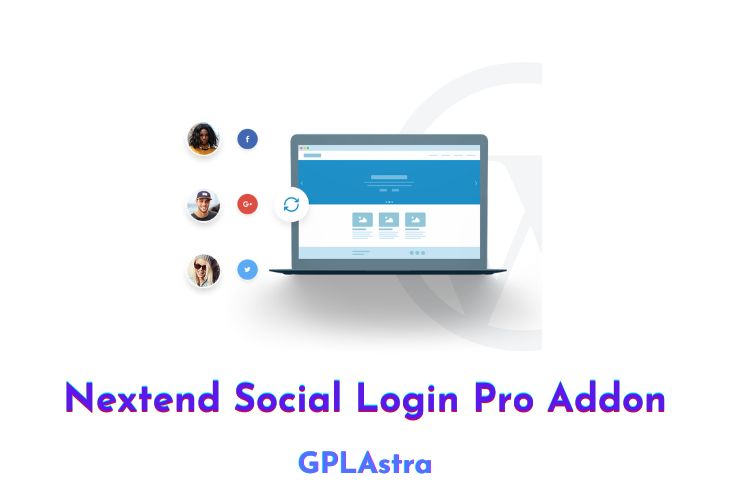
Nextend Social Login Pro Addon is a WordPress plugin that provides an easy way for visitors to register and log in to your website using their social accounts. With a seamless integration, Nextend Social Login Pro Addon allows visitors to sign up and log in with their Facebook, Twitter, Google+, and LinkedIn accounts with just one click, creating a great community quickly.
The plugin is fully customizable and allows you to configure which social accounts you want to use for login and which areas of the website social login buttons should be displayed. The list of social login providers is growing, providing visitors with a wide range of options to choose from to log in to your site.
Nextend Social Login Pro Addon is especially useful for WooCommerce shop owners, as users can easily connect their Facebook, Twitter, Google+, and LinkedIn accounts with their WooCommerce account, increasing conversion rates. Research shows that 77% of people prefer social login over the regular WordPress login form, and the addition of social login buttons on the checkout page may significantly increase your conversion rates.
The plugin also comes with powerful features such as a login form that displays social login buttons in your WordPress login form, link to social profiles, request email address and username, login layout and style customization, and user roles.
The Nextend Social Login Pro Addon is translation-ready and comes with excellent help, including interactive online documentation, video tutorials, and premium-class support. With Nextend Social Login Pro Addon, building a great community has never been simpler, faster, or more convenient.
| Name | Nextend Social Login Pro |
| Type | Plugin |
| Version | 3.1.23 |
| File Name | nextend-social-login-pro |
| File Type | zip (Installable Archive) |
| File Host | mediafire.com | Mirror |
| Updated On: | 1 month ago |
Core Features of Nextend Social Login Pro Plugin
- Social Login: Nextend Social Login Pro Addon allows visitors to register and log in with their social accounts, including Facebook, Twitter, Google+, and LinkedIn, with just one click.
- Seamless Integration: The plugin seamlessly integrates with your existing WordPress login and registration form. Existing users can link their social accounts and then simply use the linked social networks to log in.
- Fully Customizable: You can easily configure which social accounts you want to use for login and which areas of the website social login buttons should be displayed.
- Available Social Login Providers: The plugin supports many social login providers, and the list keeps growing so that visitors can choose from a variety of services to log in with.
- WooCommerce Extras: Nextend Social Login Pro Addon has all the tools a WooCommerce shop owner needs. Users can easily connect their Facebook, Twitter, Google+, and LinkedIn accounts with their WooCommerce account at their profile, and social login buttons on the checkout page may significantly increase conversion rates.
- Login Form: Displays social login buttons in your WordPress login form, and visitors can easily log in through their favorite social accounts.
- Link to Social Profiles: Existing users can link and unlink their social accounts at their WordPress profile page, which they use to log in to your site.
- Request E-mail PRO: If e-mail addresses are not always accessible from the social providers, you can ask visitors to give you their e-mail address.
- Request Username PRO: You can ask users to set up their username upon registration, even though they don’t need to use it to log in with their social accounts.
- Login Layout and Style PRO: The login buttons can be customized to look exactly the way you want them to, and you can choose from icons or wide buttons.
- WordPress Comments PRO: Social login is available for your WordPress comment form, which may increase the number of comments from users who love to have an easy way to log in and share their opinions.
- User Roles PRO: You can forbid social login for specific user roles. For example, you can force admins to log in with their password.
- Translation Ready: The plugin is ready for translation, which is crucial for having a complete understanding of each setting.
- Excellent Help: The plugin comes with interactive online documentation, video tutorials, and premium-class support that is always ready to help you.
What’s New (Changelog) in Nextend Social Login Pro v3.1.23
v3.1.23 - 2026.02.23
- Improvement: Increased the minimum required PHP version to 7.4.
- Improvement: To prevent redundancy and outdated in-plugin guides, the Getting Started instructions within the plugin now link directly to the relevant provider documentation, which can be updated more frequently.
- Improvement: Added Hindi translation.
- Improvement: Introduced the nsl_register_flow_page filter, allowing developers to override the page ID selected in the Page for register flow setting.
- Fix: Shortcode headings are no longer rendered when no buttons are displayed.
Sales Page and Live Demo of Nextend Social Login Pro Plugin
https://nextendweb.com/social-login/
Free Download Nextend Social Login Pro Latest Version
⚡ Premium Access
Unlock All Premium Features
Unlimited Downloads
No Restrictions
Direct Download Links
Access to Private Content
Frequently Asked Questions (FAQs):
Here are some frequently asked questions related to Nextend Social Login Pro Plugin that might help you while installing it on your WordPress site:
Please update to 3.1.9 version for compatibility, thanks.