WooCommerce Product Variations Swatches v1.1.7 Plugin
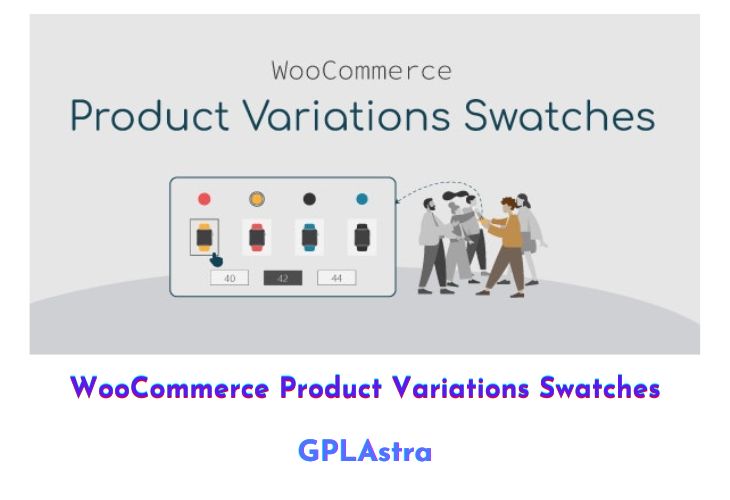
WooCommerce Product Variations Swatches by VillaTheme is a versatile plugin designed to enhance the visual appeal and functionality of product variations on your WooCommerce store. By transforming standard dropdown menus into visually appealing swatches, this plugin makes it easier for customers to browse and select product variations, such as colors, sizes, or materials. The plugin offers a wide range of customization options, allowing you to design swatches in various styles and profiles to match your store’s aesthetic. With features like global attribute management, custom CSS support, and the ability to display swatches on product pages, lists, and widgets, this plugin ensures a seamless and engaging shopping experience for your customers.
The plugin empowers store administrators to create professional-looking swatches that not only catch the customer’s eye but also streamline the decision-making process, leading to quicker purchases. Whether you want to display swatches on single product pages, product lists, or even in widgets, WooCommerce Product Variations Swatches provides the flexibility to do so. Additionally, the ability to customize swatch profiles and apply custom CSS ensures that your product variations align perfectly with your brand’s design language. This plugin is an essential tool for any WooCommerce store looking to improve user experience and boost conversion rates.
| Name | WooCommerce Product Variations Swatches |
| Type | Plugin |
| Version | 1.1.7 |
| File Name | woocommerce-product-variations-swatches |
| File Type | zip (Installable Archive) |
| File Host | mediafire.com | Mirror |
| Updated On: | 10 months ago |
Core Features of WooCommerce Product Variations Swatches Plugin
- Visual Swatch Display: Replace standard dropdown menus with visually appealing swatches for product variations like colors, sizes, and materials.
- Customizable Styles: Design swatches in various styles and profiles to match your store’s aesthetic.
- Global Attribute Management: Manage and display global attributes with ease from the backend.
- Multiple Display Options: Show swatches on single product pages, product lists, or widgets.
- Custom CSS Support: Add custom CSS to further personalize the appearance of your swatches.
- Enhanced User Experience: Make it easier for customers to view and select product variations, leading to quicker purchasing decisions.
- Widget Integration: Enable variation swatches to appear in widgets for added visibility.
- Flexible Profiles: Create and customize swatch profiles to suit different product types.
- Improved Conversions: Attract customer attention and encourage faster decision-making with visually engaging swatches.
- Seamless WooCommerce Integration: Easily integrate the plugin with your WooCommerce store for a smooth setup process.
What’s New (Changelog) in WooCommerce Product Variations Swatches v1.1.7
/**1.1.7 - 2025.05.08**/
- Updated: Compatible with VARGAL - Additional Variation Gallery for Woo plugin
- Updated: Compatible with Dokan - vendors can easily edit product swatches from the product edit page on their vendor dashboard
Sales Page and Live Demo of WooCommerce Product Variations Swatches Plugin
https://codecanyon.net/item/woocommerce-product-variations-swatches/26235745
Free Download WooCommerce Product Variations Swatches Latest Version
⚡ Premium Access
Unlock All Premium Features
Unlimited Downloads
No Restrictions
Direct Download Links
Access to Private Content
Frequently Asked Questions (FAQs):
Here are some frequently asked questions related to WooCommerce Product Variations Swatches Plugin that might help you while installing it on your WordPress site: