UiPress Pro v3.4.02 WP Plugin
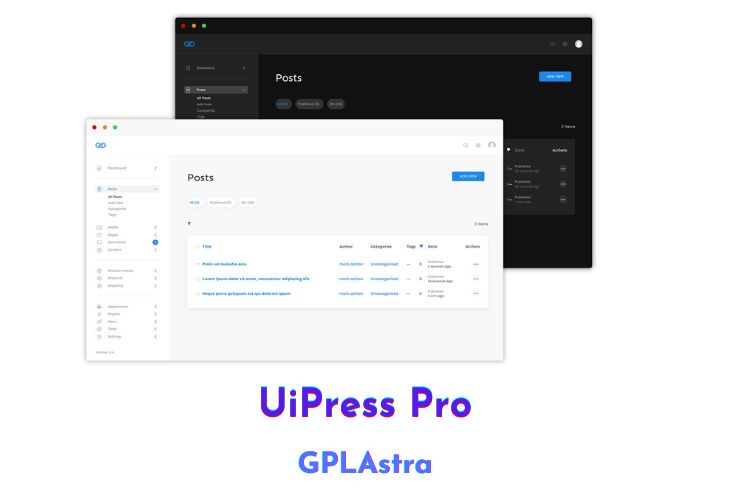
UiPress Pro (WP Admin 2020) is a premium WordPress plugin that provides a modern and streamlined dashboard for users. With a clean and minimalist design, it offers a distraction-free interface for users to focus on their tasks. The plugin comes with a variety of features including Google Analytics integration, a quick and powerful media library, a dark mode, white label, and more.
One of the standout features of UiPress Pro is its modern overview page integrated with Google Analytics. This allows users to quickly see their website’s performance and important data in one place. The plugin also offers a blazing quick media library that is up to 50% quicker than the classic WordPress library, and comes with folders to organize media.
The distraction-free interface of UiPress Pro makes it easier for users to navigate through the WordPress dashboard and get things done. The plugin also includes a dark mode that can be activated with a single click, making it easy to work in different environments.
Furthermore, UiPress Pro offers a powerful internal search that allows users to find what they are looking for without having to reload pages. The menus have been overhauled and integrated search means that users can find exactly what they are looking for quickly.
| Name | UiPress Pro |
| Type | WP Plugin |
| Version | 3.4.02 |
| File Name | uipress-pro |
| File Type | zip (Installable Archive) |
| File Host | mediafire.com | Mirror |
| Updated On: | 10 months ago |
Core Features of UiPress Pro WP Plugin
- Clean and modern WordPress admin theme
- Streamlined dashboard with a modern overview page
- Google Analytics integration to see all important stats at a glance
- Blazing quick media library that’s up to 50% faster than the classic WordPress library
- Folders to organize your media library
- Distraction-free interface for a seamless experience
- Dark mode that adapts to your surroundings
- Powerful internal search for instant results
- Overhauled menus for easy navigation
- White-label option for a professional look
- Customizable color scheme to match your brand
- Customizable login page to add your own branding
- Customizable admin bar with shortcuts to frequently used areas
- Customizable footer with your own branding and links
- User-friendly and intuitive design for easy use
- Regular updates and bug fixes to ensure optimal performance
- Excellent customer support for any queries or issues
What’s New (Changelog) in UiPress Pro v3.4.02
= 3.4.02 = * Release Date 15 June 2024*
* Fixed issue with menu builder not displaying menu items
Sales Page and Live Demo of UiPress Pro WP Plugin
https://uipress.co/
Free Download UiPress Pro Latest Version
⚡ Premium Access
Unlock All Premium Features
Unlimited Downloads
No Restrictions
Direct Download Links
Access to Private Content
Frequently Asked Questions (FAQs):
Here are some frequently asked questions related to UiPress Pro WP Plugin that might help you while installing it on your WordPress site: